This month's release includes a long-awaited new feature for the screen designer: web flows! Web flows are exactly what they sound like: data flows that run on the web. These are data flows that can interact directly with users and screens: prompting users for input, displaying notifications, changing form values, hiding and showing containers, and more. This system is designed to be a powerful, flexible, and easy-to…
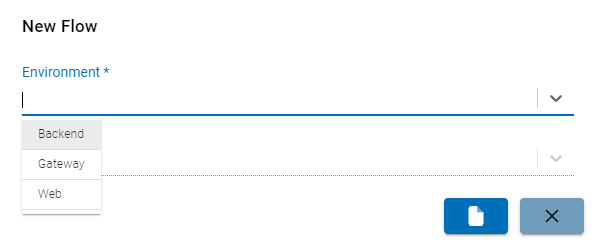
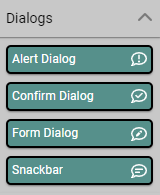
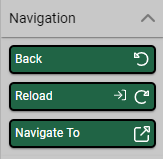
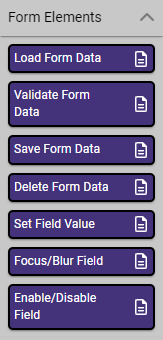
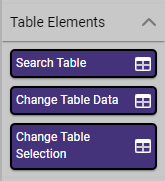
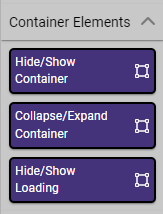
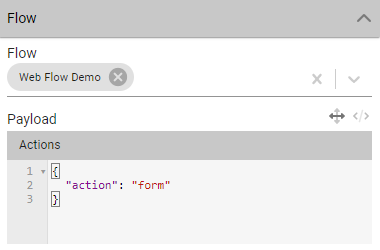
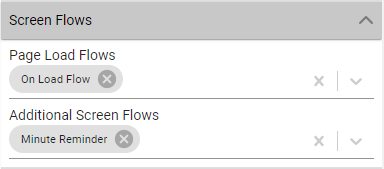
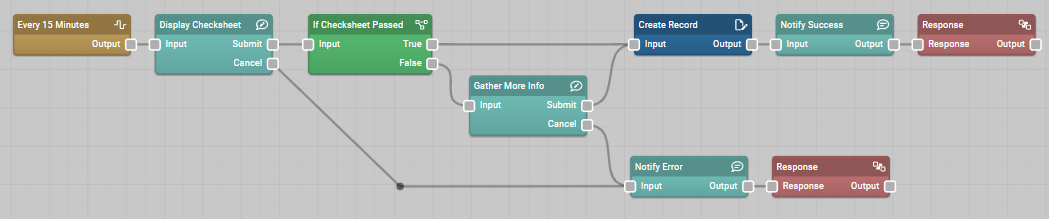
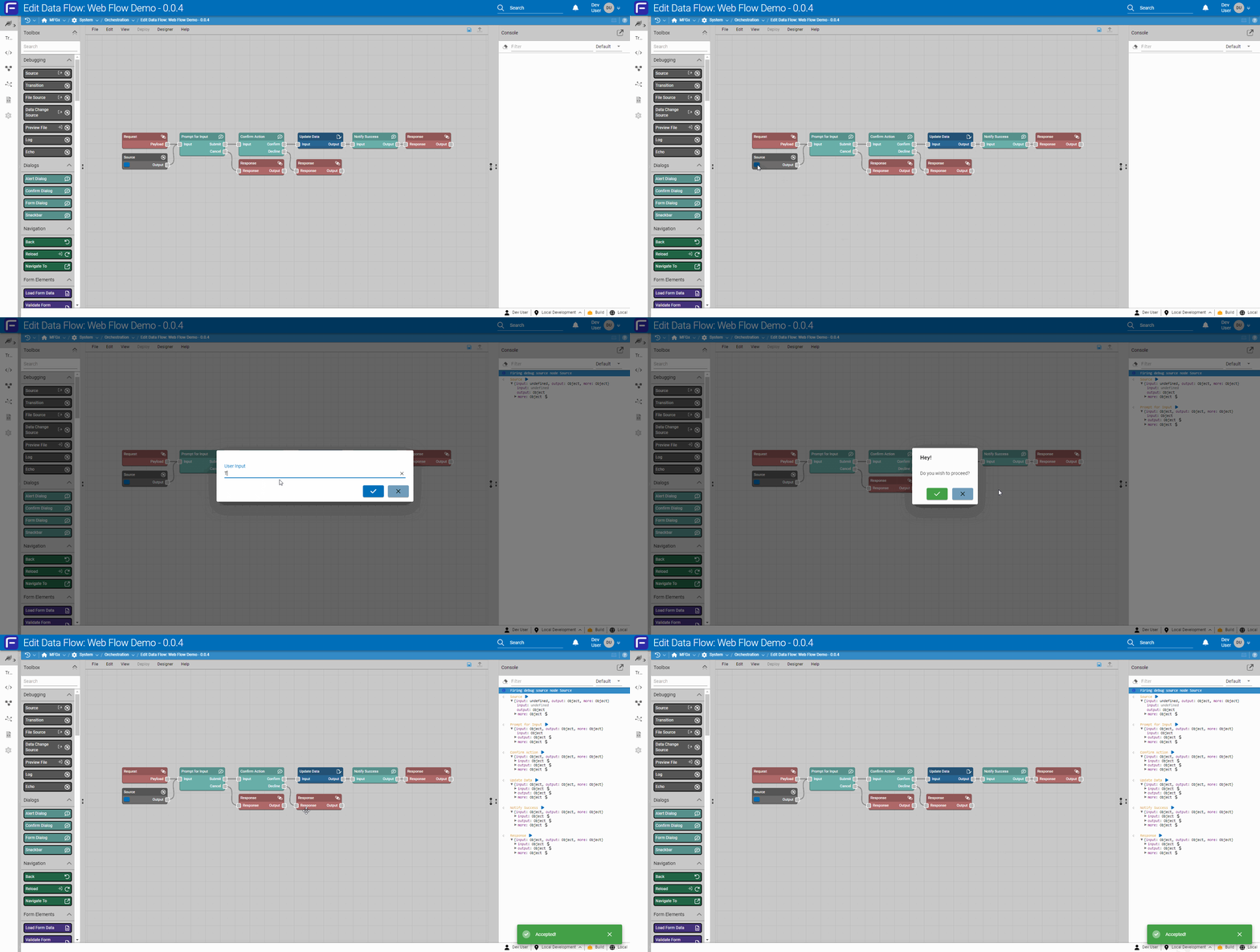
New Environment selection on flow creationDialog nodesNavigation nodesForm element nodesTable element nodesContainer element nodesScreen element nodesFlow button in the toolboxFlow button configurationScreen flow configurationWhen a user clicks a flow button, prompt for input, ask them to confirm their action, issue a mutation, then show a notification indicating success.Every 15 minutes, ask the user to complete a quality report; if it fails, ask for more information, then create a quality record.Subscribe to data change events and update the screen in real time.Web flows can be tested in the designer.A snackbar notification indicating a flow saved in another tab has been synchronized with a running screen.
App Building and Packages
New Package System
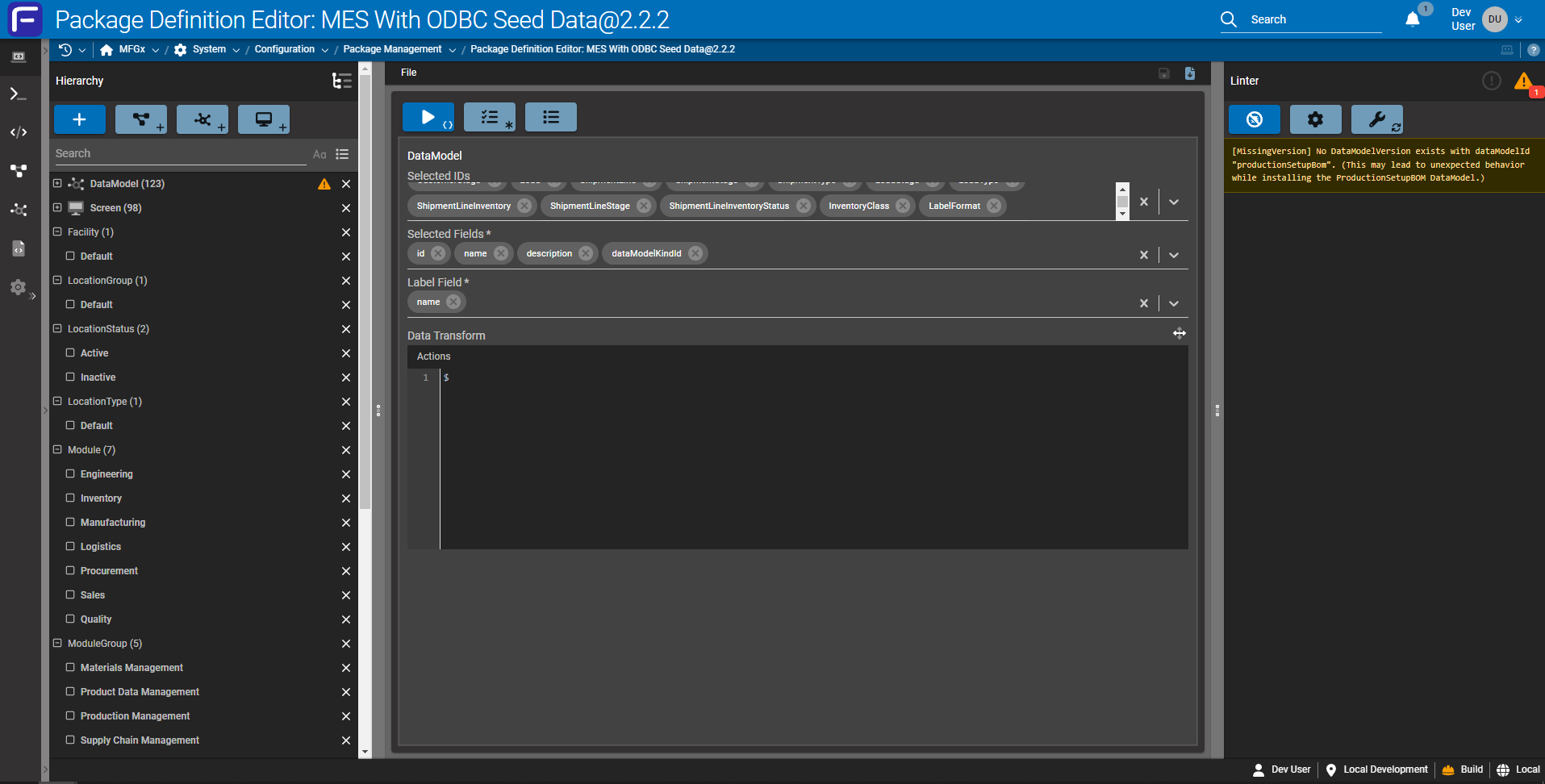
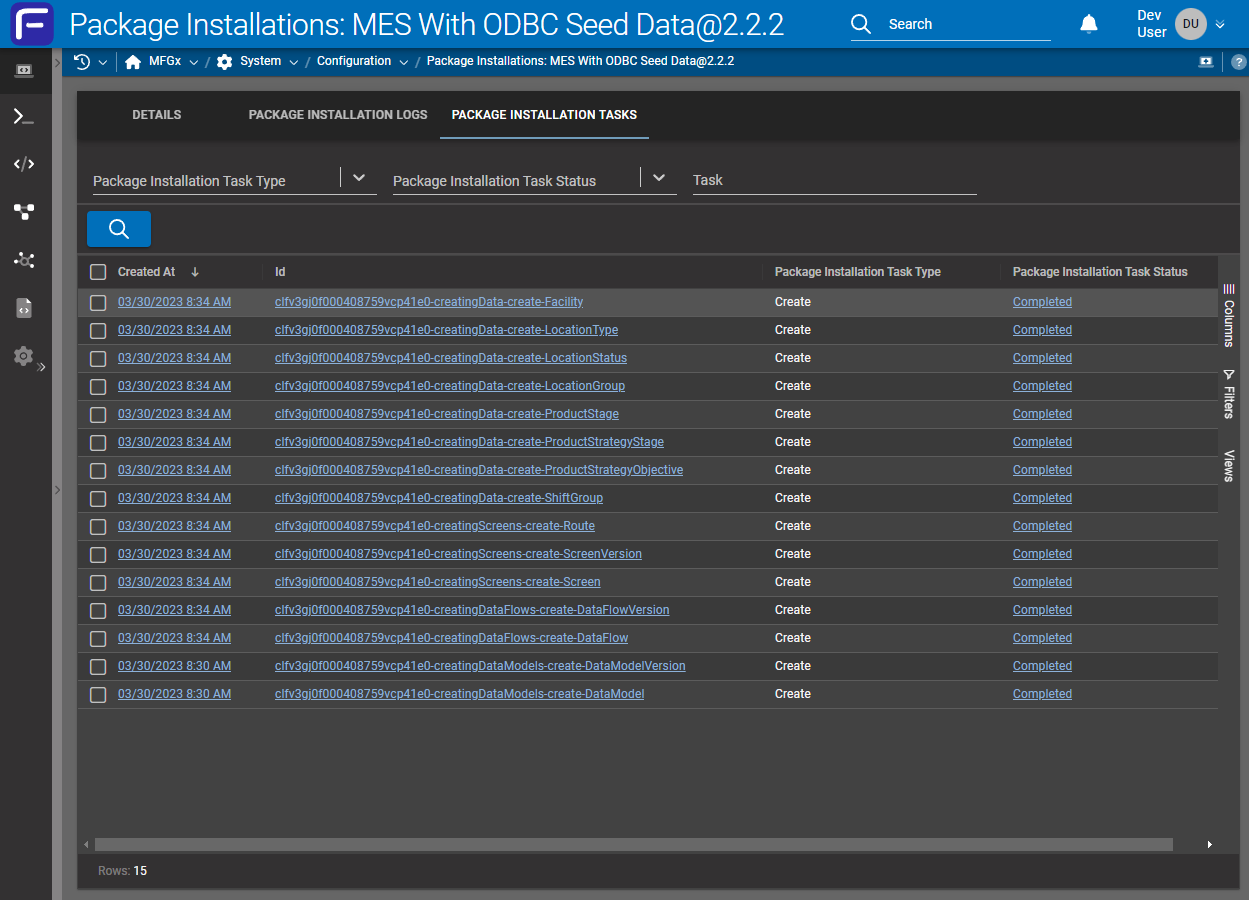
The 2023.4 release also includes another generational leap forward: this time in the realm of packages. Our existing package management system has performed well since its release several years ago, but as our platform grew, it became apparent that there were several fundamental shortcomings we wouldn't just be able to patch over. Among these were the system's ability to handle very large packages, the level of atten…
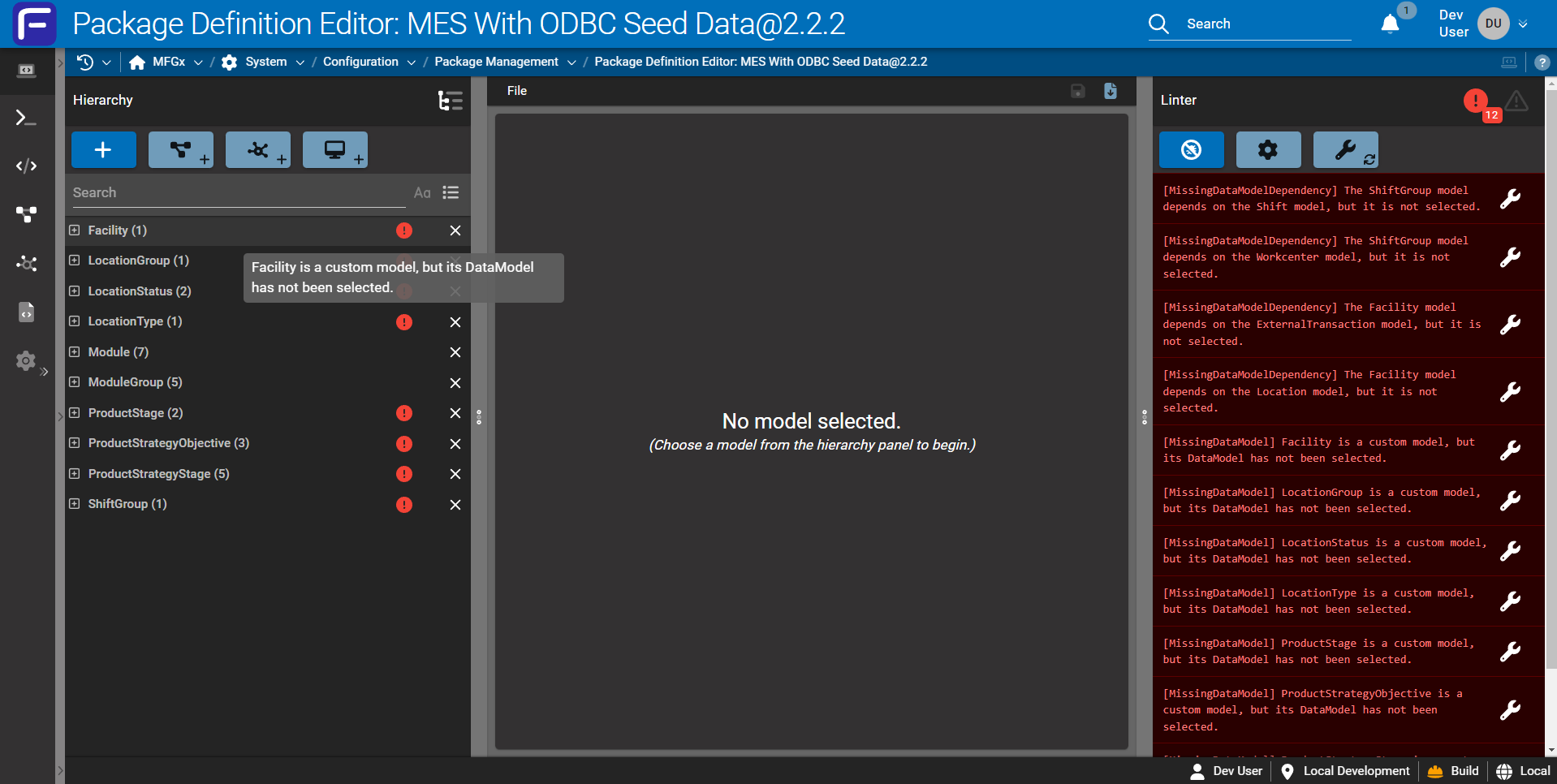
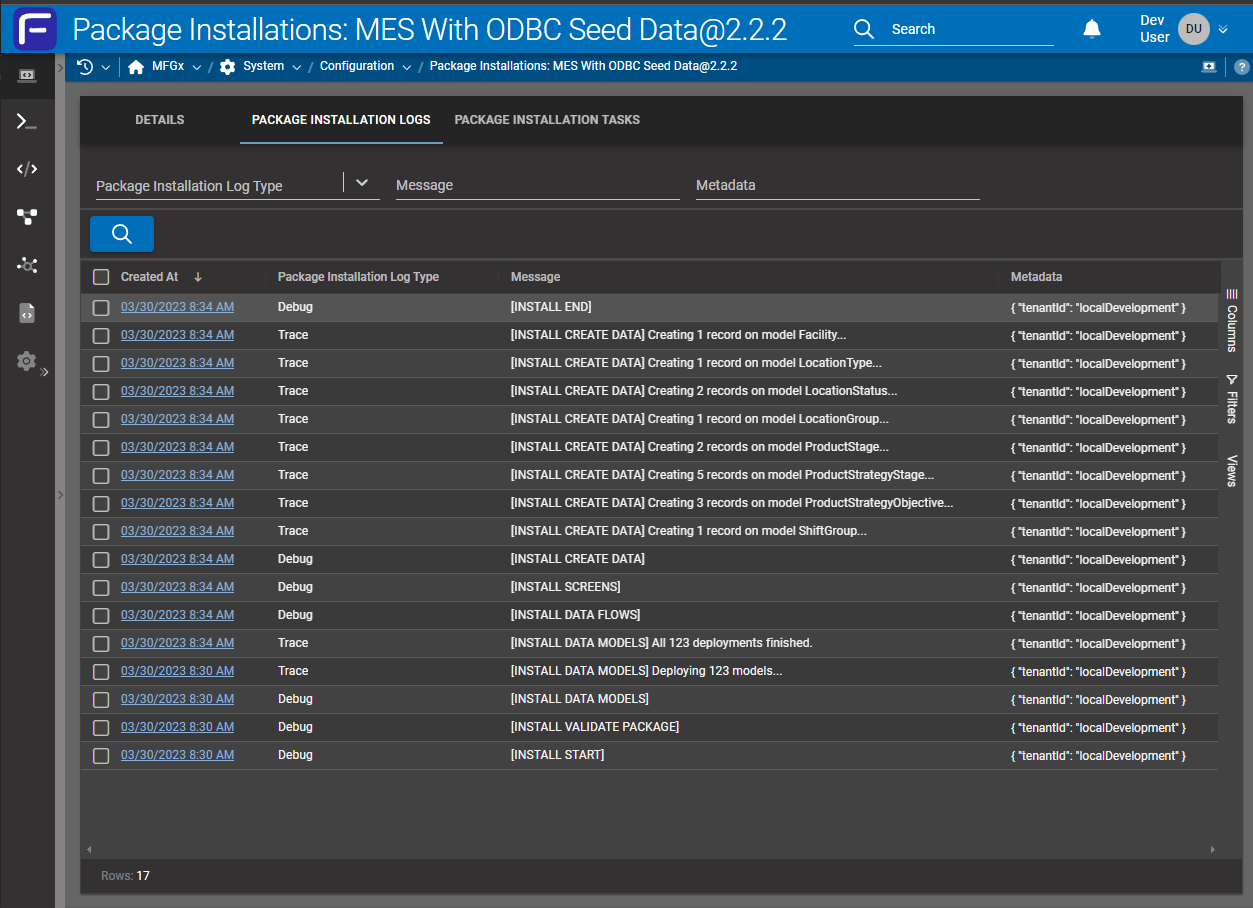
New package definition editor.The package definition editor lints packages for potential issues.Issues identified by the linter can be fixed with a single click.Package installation logs providing descriptive information on installation steps.Package installation tasks listing the specific steps taken by the installation process.Package installation logs and tasks for updated packages.
Security and Administration
Screen Policies
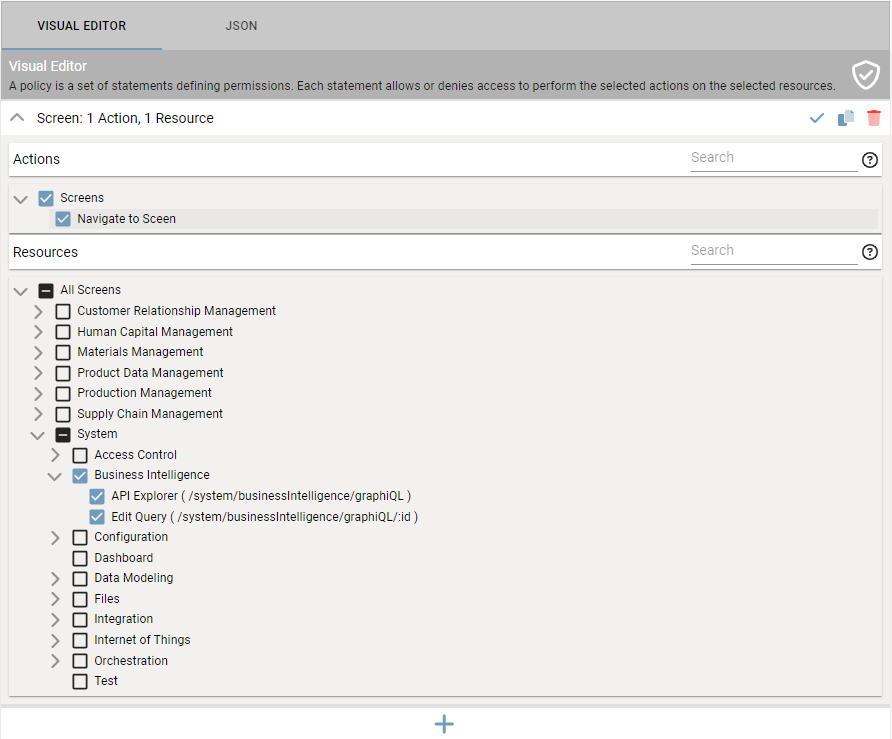
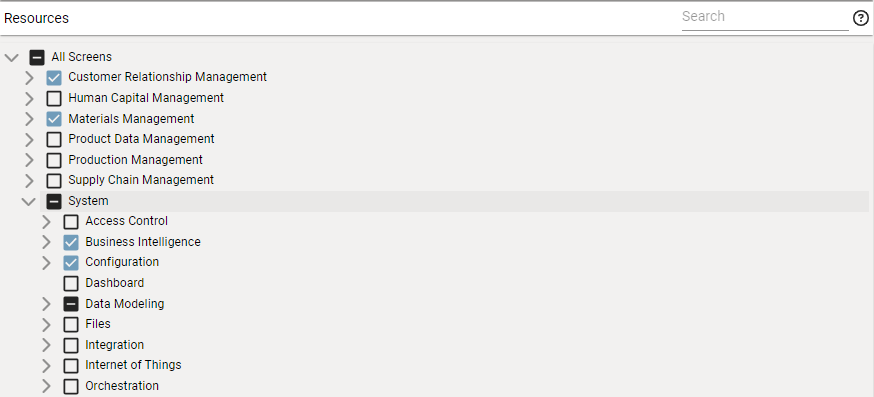
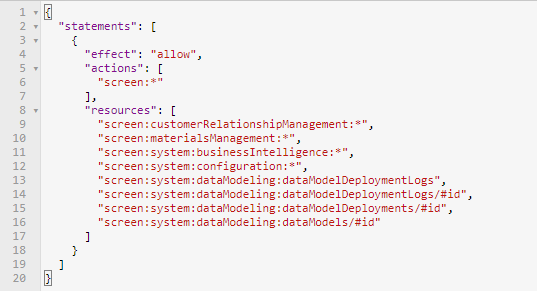
April 2023 also brings an upgrade to the policy-based security system in Fuuz. The access control policy system has always allowed flexible, granular permissions to be applied to Fuuz APIs; this month, we're extending that system to screens as well. This allows administrators to define policies which restrict which screens users are allowed to access: if permission for a screen isn't granted, it won't appear in the s…
Screen actions and resources in the access control policy builder.A complex policy granting screen access to a range of module groups, modules, and individual screens.The policy object created by the visual builder.
Edge and Gateway
HTTP Server Driver
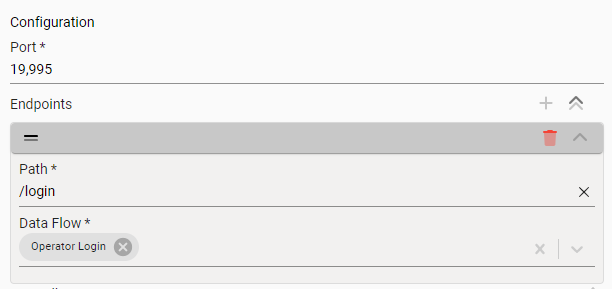
Included in this month's release is a new driver for the Edge Gateway: an HTTP Server driver. This driver is the first of a new class of drivers whose responsibility is to listen for commands from within a network and relay them up to Fuuz. This driver has two modes of operation: HTTP relay endpoints and HTTP POST device subscriptions. HTTP Relay Endpoint: These endpoints are configured on the device and create an HT…
HTTP relay endpoint configuration
Data Models and API
Improved Data Model Metrics
Also included in this month's release are improvements to the Data Models API and screen to provide better information about data storage utilization in Fuuz. The existing data size and record count fields have been updated to provide more meaningful estimates of utilization, and additional fields have been added to report the utilization of data change collections if DCC is enabled. This information will help admini…
Updated columns in the Data Models table
Orchestration and Data Flows
Improved Termination Behavior
The April 2023 release of the Fuuz platform includes some broad changes to our service configuration to further minimize potential disruption caused by system scaling and deployments. During deployments and periods of high load, Fuuz automatically provisions additional resources to ensure service availability; these improvements ensure when these additional resources are no longer required, pending requests are allow…
Edge and Gateway
New
Added gateway-deploy utility to support metadata uploadIIoT Team › Edge Gateway
Added HTTP Server driverIIoT Team › Edge Gateway Drivers
Added SAP RFC driver betaIIoT Team › Edge Gateway Drivers
Improved
Updated some log calls which previously used an incorrect signatureIIoT Team › Edge Gateway
Unified device subscription setup to support store and forward on any device subscriptionIIoT Team › Edge Gateway
Updated PLC driver to improve error handling and fix minor bugsIIoT Team › Edge Gateway Drivers
Fixed
Addressed various bugs and stability issues with the Edge Gateway Service betaIIoT Team › Edge Gateway
Integration and Connectors
Improved
Updated Dynamics 365 connector to support custom headers on requestsOrchestration Team › Integration Connectors
Orchestration and Data Flows
New
Added support for testing mutex nodes in the flow designerOrchestration Team › Data Flows
Added diffDataFlowVersion query to analyze differences between data flows or data flow versionsOrchestration Team › Data Flows
Added a Webhook source node for events received on webhook-accessible topicsOrchestration Team › Data Flow Nodes
Added environment type (build, QA, or production) to system email footerOrchestration Team › Miscellaneous
Improved
Updated data flow deployment logs to utilize a tiered TTL based on log level: 2 days for debug & trace, 2 weeks for info and warn, and 2 months for error and fatalOrchestration Team › Data Flows
Updated Data Flow Models screen to gracefully handle data flows with syntactically incorrect GraphQL statementsOrchestration Team › Miscellaneous
Updated topics to add a "Webhook Accessible" property which determines if the topic can receive publish commands through the webhook APIOrchestration Team › Miscellaneous
Fixed
Corrected an issue with some data flow log pathsOrchestration Team › Data Flows
Dashboards, Reports and Documents
Improved
Updated max memory configuration for Redis replicasDevOps Team › Helm Charts
Upgraded service mesh to latest versionDevOps Team › Helm Charts
Security and Administration
New
Added option to prevent recent password reuseData Team › Security
Added support for limiting access to screens via access control policiesData Team › Security
Added ability to delete users if the user has never signed in, has no API keys assigned, and is not an enterprise administratorData Team › Security
Improved
Updated creation for roles, policies, and policy groups to use camel case name as IDData Team › Security
Fixed
Corrected a bug that could arise during user creation if a policy or group was selected then removedData Team › Security
Data Models and API
New
Added "Collapse All" toggle to toolbox to collapse or expand all groupsData Team › Schema Designer
Added "Include Fields" toggle to toolbox to control whether search also searches field names and descriptionsData Team › Schema Designer
Added feature to automatically update relation metadata when relation ID fields are renamedData Team › Schema Designer
Added "Data Change Capture" option to data model fieldsData Team › Schema Designer
Improved
Updated "Label Field" input to only display fields with valid typesData Team › Schema Designer
Updated layout and styles on system fields section to improve readabilityData Team › Schema Designer
Updated Data Models screen to display more detailed and accurate information on data model storage size and record countData Team › Miscellaneous
App Building and Packages
New
Added new package management system to better handle large, complex packages and updatesOrchestration Team › Package Management
Added new Package Definition Editor to build packages for new systemOrchestration Team › Package Management
Improved
Renamed legacy package builder to "Package Builder (Deprecated)"Orchestration Team › Package Management
Screens and User Experience
New
Added release channels and Edge Gateway Service to Fuuz Apps screenIIoT Team › Screens
Added a "Select All" checkbox on the field picker inputUser Interface Team › Components
Added card data to screen context to better support tables in cardsUser Interface Team › Screen Designer
Added "Collapsed by Default" option for collapsible container elementsUser Interface Team › Screen Designer
Added collapse , expand , and toggleCollapse functions for container elementsUser Interface Team › Screen Designer
Added "Default to Display Mode" option for Markdown and Rich Text elementsUser Interface Team › Screen Designer
Added "Select Multiple Rows With Click" option to tables to allow row multi-select by clicking anywhere on a row, rather than just the selection checkboxUser Interface Team › Screen Designer
Added "Select Time of Day" option to Date inputs to control the time of day of the selected valueUser Interface Team › Screen Designer
Added a static image preview for visualization elementsUser Interface Team › Screen Designer
Added support for JavaScript in frontend transformsUser Interface Team › Framework
Added framework, designer, and canvas screen support for web flowsUser Interface Team › Framework
Improved
Re-added previously removed device subscription formIIoT Team › Screens
Updated icon/action buttons to correctly apply hover effects when a custom color is selectedUser Interface Team › Components
Updated label and description for "Block Navigation When Dirty" setting on formsUser Interface Team › Screen Designer
Updated screen creation to use camel cased name as IDUser Interface Team › Screen Designer
Updated FullCalendar library to latest versionUser Interface Team › Framework
Fixed
Corrected a bug with code blocks in Markdown editor/display componentsUser Interface Team › Components
Corrected an issue with date type table columns overlapping adjacent cellsUser Interface Team › Components
Platform and Infrastructure
New
Implemented a variety of tweaks to minimize noise in log collectionDevOps Team › Monitoring
Implemented improved termination behavior for services to reduce disruptions from autoscaling and deploymentsDevOps Team › Framework