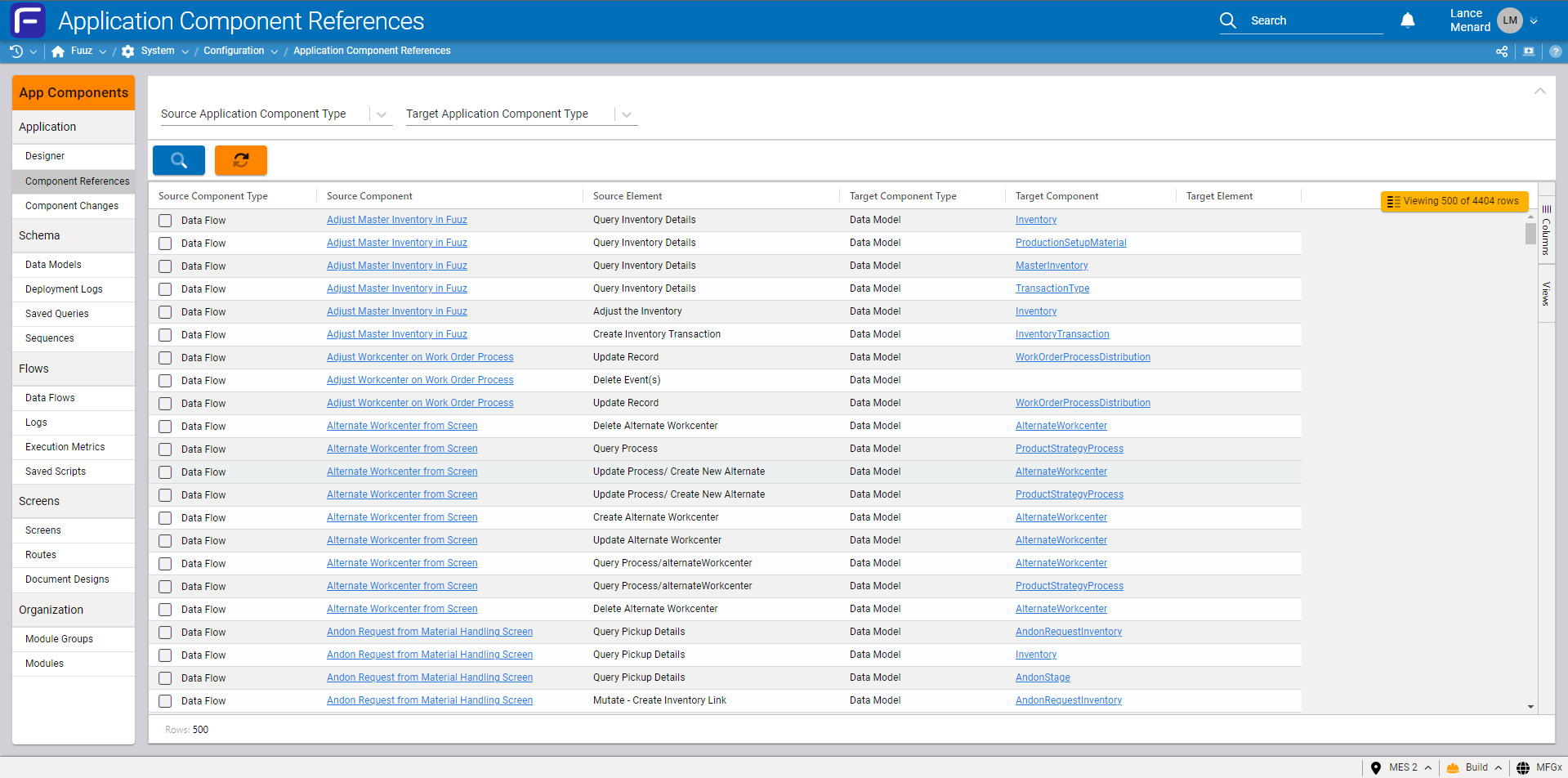
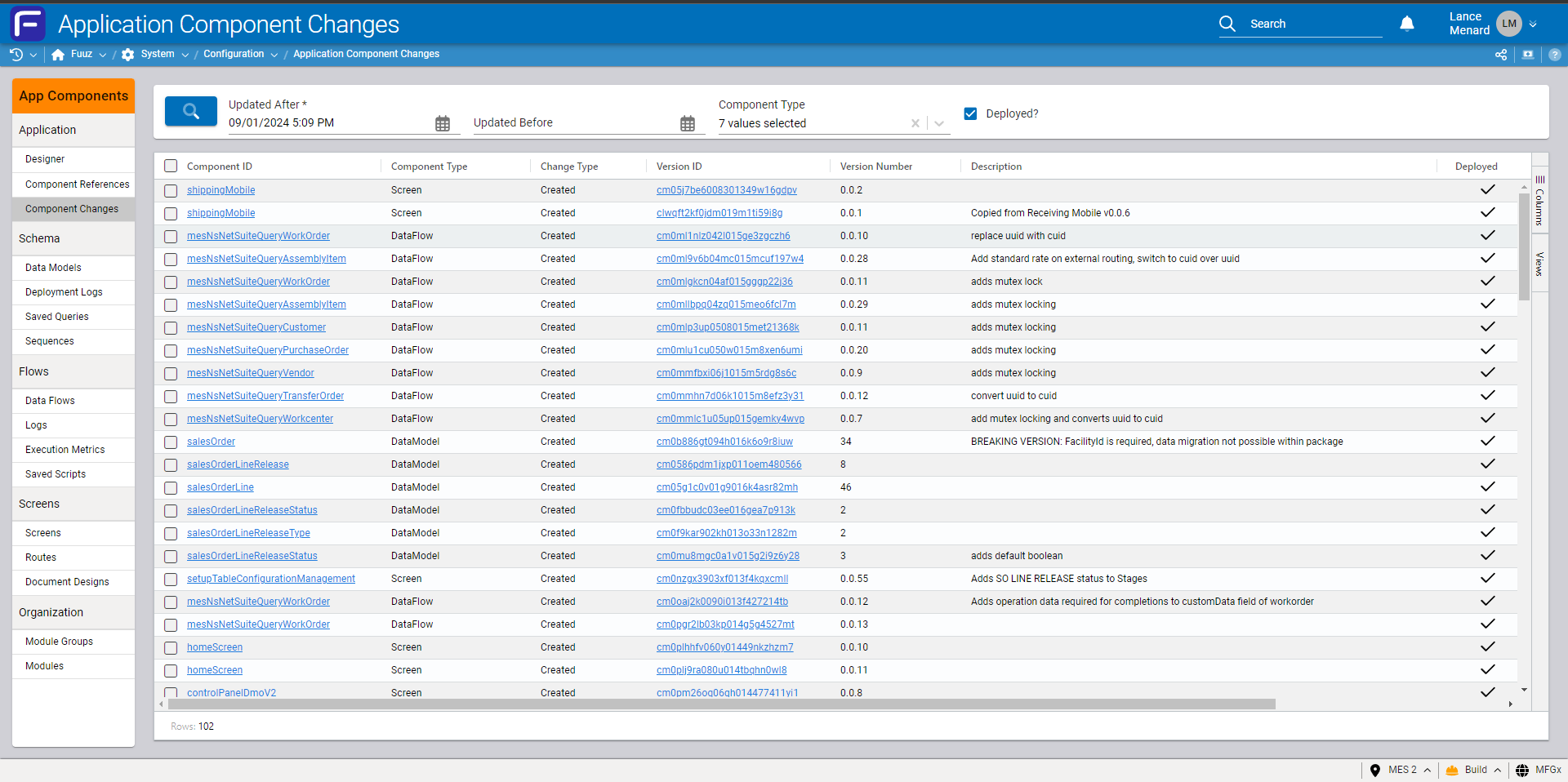
First up, this month's release includes two new screens designed to improve the ability of app builders to inspect and manage the app development process: App Component References and App Component Changes . Application Component References Screen: This new screen allows application builders to quickly understand what relationships exist between the various components of an app. As apps grow in complexity, it can bec…
App Component References screenApplication Element Changes
Screens and User Experience
Updated UI Inputs & Screen Elements
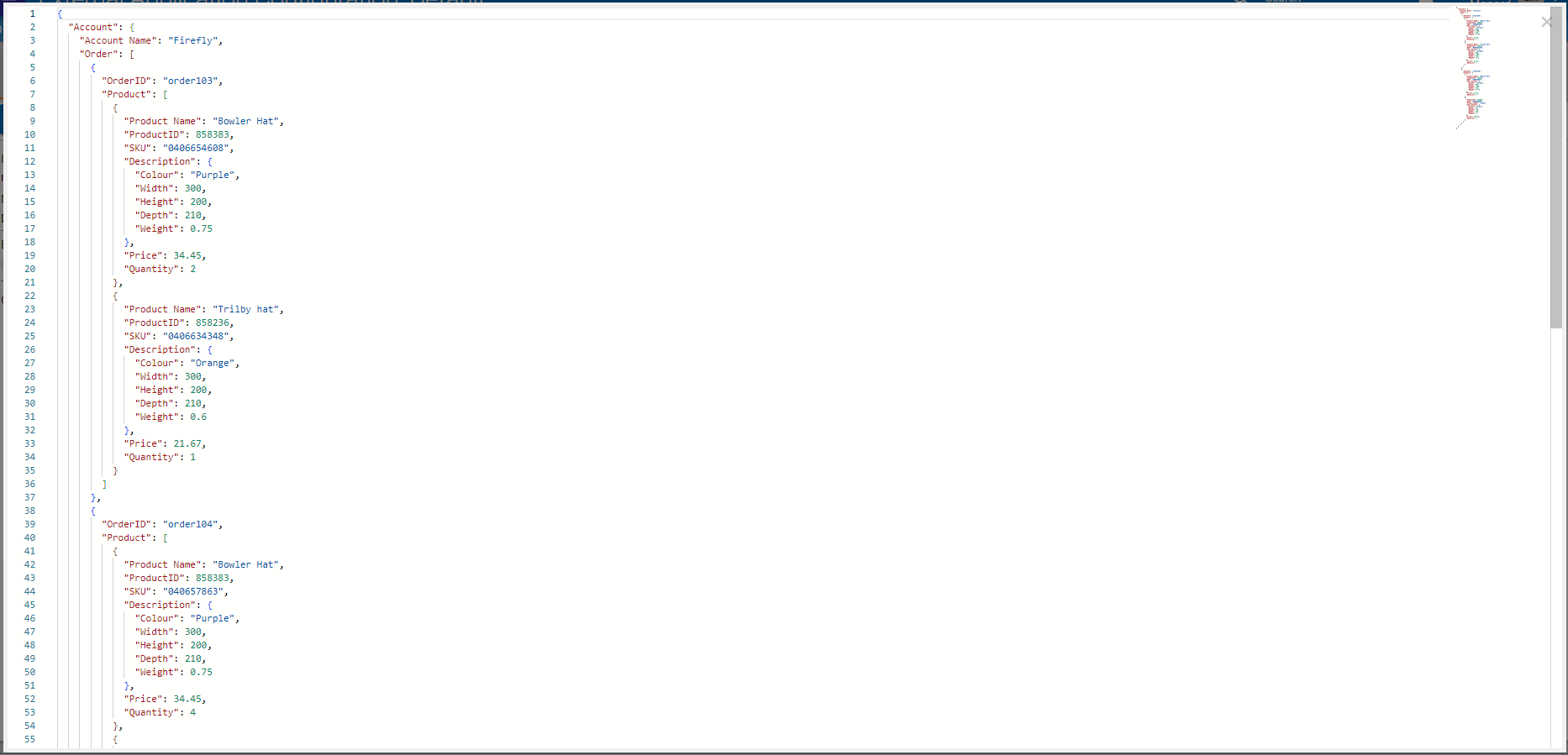
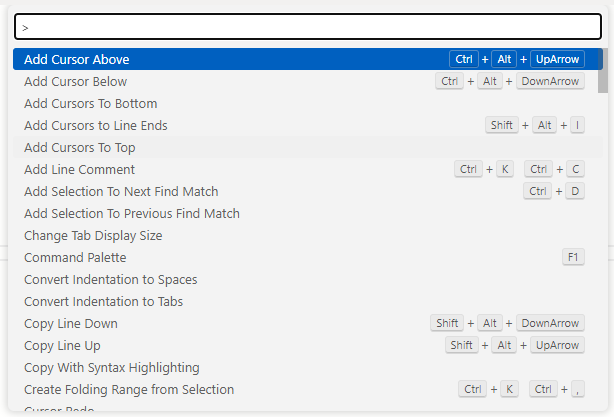
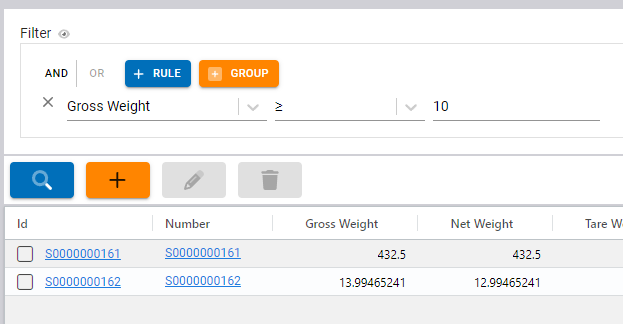
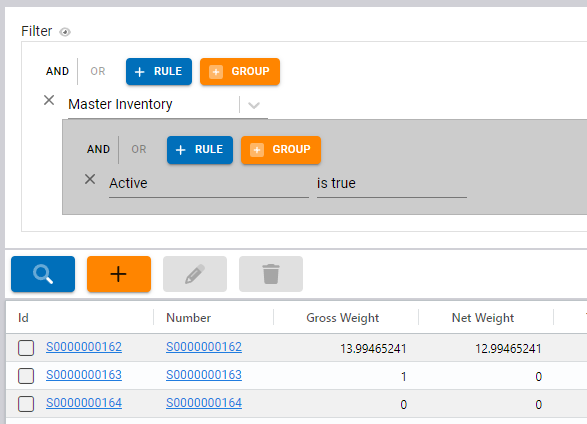
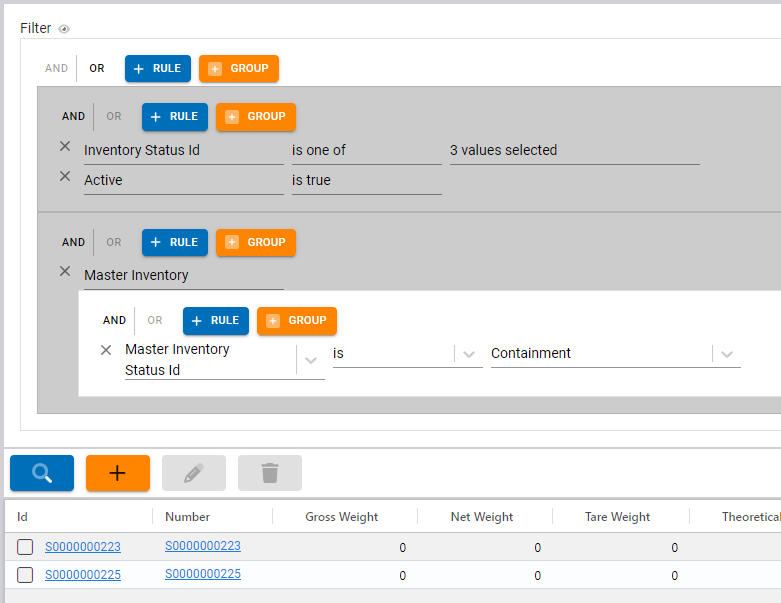
The September 2024 release includes several new or significantly revamped UI components and screen elements that we're very excited about - a new Monaco-based JSON editor and a GraphQL predicate builder! Monaco JSON Editor: We're very happy to announce the first in a series of changes which will significantly improve the user experience with our code editors. With this month's release, JSON editors throughout the Fuu…
New Monaco-based JSON editorCommand Palette, accessed via the F1 keyGraphQL Where Input filtering for Inventory with a Gross Weight greater than or equal to 10GraphQL Where Input filtering for Inventory which is associated with an active Master Inventory record
Data Models and API
New Aggregate Query Operators
With our recent upgrade to MongoDB 8, we were able to add support for several new aggregation operators in our Aggregate Query Framework in version 2024.9. These operators allow more streamlined inspection of aggregated data: • uniqueCount returns the number of unique values in the group (e.g. unique inventory containers moved each week). This operator uses exact value comparison. • median returns the median of the g…
Data Models and API
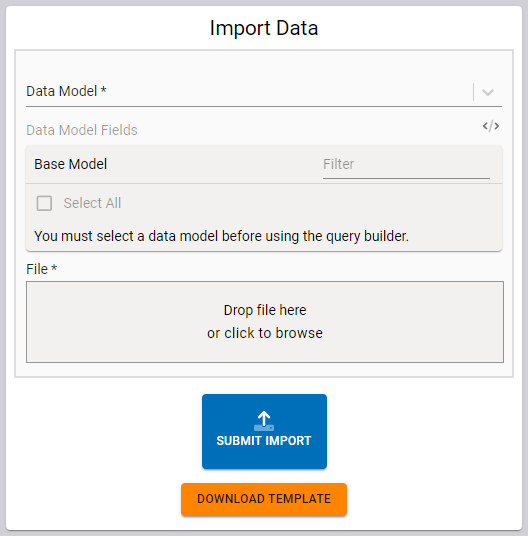
Client-side Data Import Screen
The 2024.9 release includes a very simple data import screen specifically focused on making it easier to move data between Fuuz environments. It can also help simplify importing data from external systems. Paired with data exports from tables, this screen should reduce some of the management overhead when migrating data between QA and production environments, for instance. This screen is just the very first step in a…
Simplified Import Data screen
Data Models and API
Flow and Schema Designer UI Updates
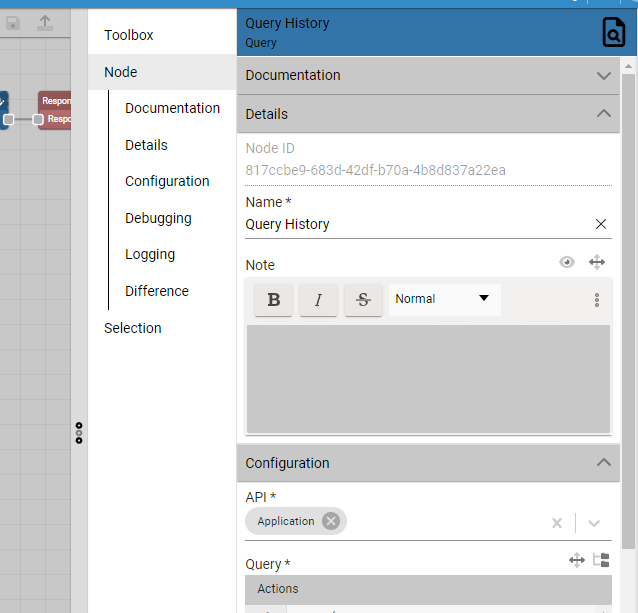
Finally, this month's release includes updates to the Data Flow Designer and Schema Designer to standardize the panel layout with our Screen Designer. This new layout condenses the Toolbox panel, previously on the left, into a tab on the right-hand side of the screen. This comes with a new feature - just like the screen designer, you can now quickly jump to a section in the properties for a selected data flow node or…
Updated Data Flow Designer right-hand panel
Edge and Gateway
Improved
Updated Native Printer driver to correctly encode UTF-8 charactersIntegration Team › Edge Gateway
Updated logging for Edge Gateway flows to reduce log file sizeIntegration Team › Edge Gateway
Integration and Connectors
New
Added ADP Vista integration connector and data flow nodeIntegration Team › Integration Connectors
Orchestration and Data Flows
New
Implemented publisher validation for maximum message sizeOrchestration Team
Improved
Updated data flow logging to omit context and payload fields to reduce message size when requiredOrchestration Team
Updated data flow metrics to pull correct message IDs from source nodes and to always collect metrics from Response nodesOrchestration Team › Data Flows
Updated Data Flow Metrics Dashboard to use aggregation queries instead of client-side transforms, enabling wider date ranges and larger volumes of metricsOrchestration Team › Data Flows
Updated UI to combine Toolbox with the right-hand panel, standardizing UI with the Screen DesignerOrchestration Team › Data Flows
Security and Administration
Improved
Improved error messages for partial or malformed Authorization headersData Team › Security
Updated Policy Editor to correctly display screens with multiple routesData Team › Security
Updated Authentication Event logging to retain authentication failure logs for 5 yearsData Team › Security
Updated Tenants table to disable edit actions on non-administration tenantsData Team › Security
Data Models and API
New
Added simplified client-side data import screenData Team › Data Management
Added median , percentile , and uniqueCount aggregation operators to Aggregation Query frameworkData Team › GraphQL APIs
Added validation to ensure where inputs for mutations have exactly one field and not 0 or more than 1Data Team › GraphQL APIs
Added Operation field to data change capture records, indicating the operation type (create, update, or delete)Data Team › GraphQL APIs
Improved
Updated UI to combine Toolbox with the right-hand panel, standardizing UI with the Screen DesignerData Team › Schema Designer
Updated data change capture to ensure Changed At and Changed By User values are consistent between mutationsData Team › GraphQL APIs
Fixed
Corrected an issue that could cause delete mutations for models using Cascade Deletion to failData Team › GraphQL APIs
App Building and Packages
New
Added Application Component References screen to allow easy introspection of relationships between app componentsUser Interface Team › Application Designer
Added Application Element Changes screen to streamline identifying all changes made to an app since a certain dateUser Interface Team › Application Designer
Added support for dragging data models from Application Navigator into Schema Designer tabsUser Interface Team › Application Designer
Improved
Updated package management to better handle and recover from schema deployment errorsOrchestration Team › Package System
Screens and User Experience
New
Added an Input Schema configuration option to Notification Channels, validating the shape of the input data prior to sending notificationsIntegration Team › Notification Platform
Implemented Monaco editor for JSON type inputsUser Interface Team › Components
Implemented Predicate Builder input elementUser Interface Team › Components
Added a configuration option to delay running page load flowsUser Interface Team › Screen Designer
Added a configuration option to control whether the Table element's data transform should run locally or remoteUser Interface Team › Screen Designer
Improved
Updated form inputs to display a loading spinner while running initial transformsUser Interface Team › Components
Updated Select and Date/Time/Datetime inputs to correctly re-run form validation on changeUser Interface Team › Components
Reimplemented Array Input component to add support for a broader set of input typesUser Interface Team › Components
Updated Cards screen element to update its transform context with updated data when child elements changeUser Interface Team › Screen Designer
Updated Auto-save option to persist setting between sessions and page reloadUser Interface Team › Screen Designer
Removed support for changing screen designer tab type within the Tabs panelUser Interface Team › Screen Designer
Fixed
Corrected a bug that could cause default values for Table components to not apply during auto-loadUser Interface Team › Components