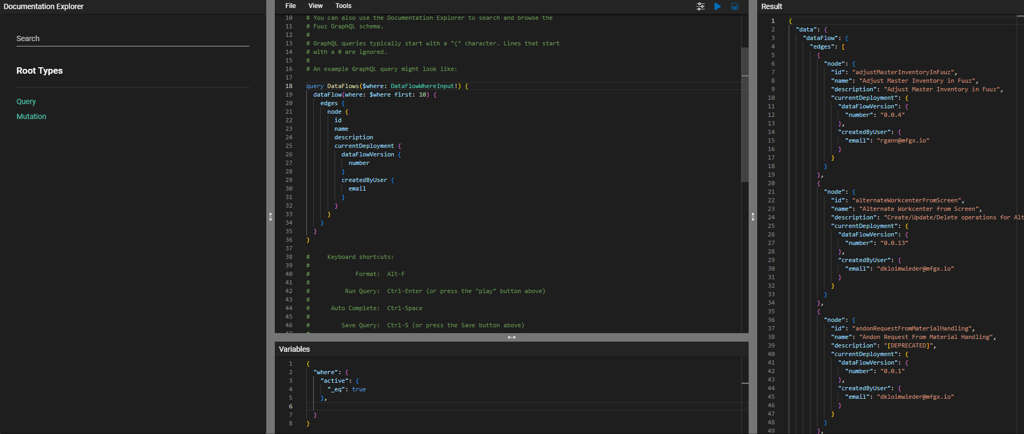
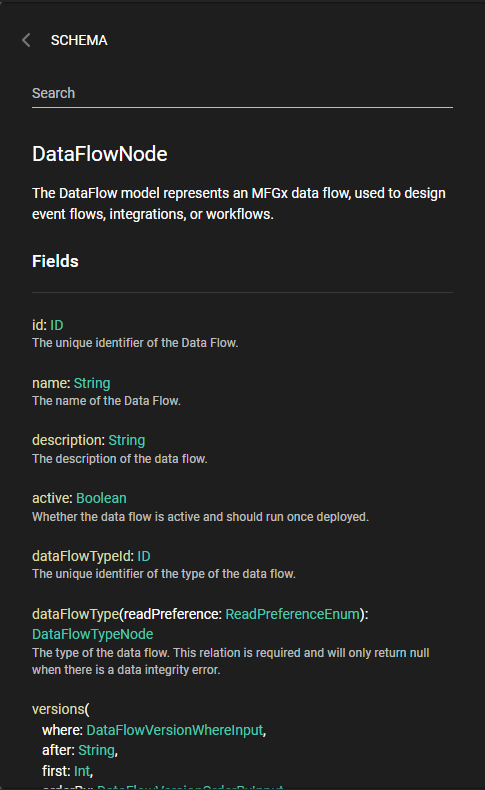
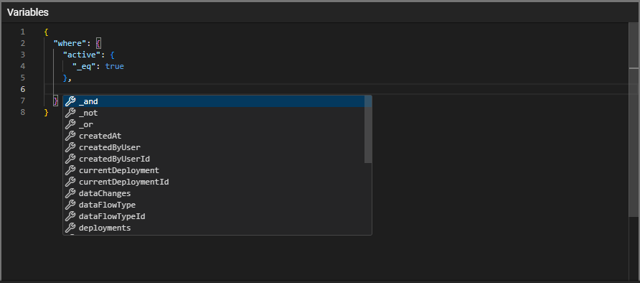
The flagship feature this month is a new and improved API Explorer! For many years, we've leveraged an off-the-shelf open-source library called GraphiQL to drive our API explorer. While this library served us well, it left our hands tied when it came to specific advanced features we wanted to implement. The library was also based on the legacy CodeMirror code editor, which meant it was a roadblock in our goal to mode…
The new and improved API ExplorerThe new Documentation panelImproved code auto-completion while editing queriesImproved code autocompletion while editing variables
Dashboards, Reports and Documents
Chart Element Sort By Configuration
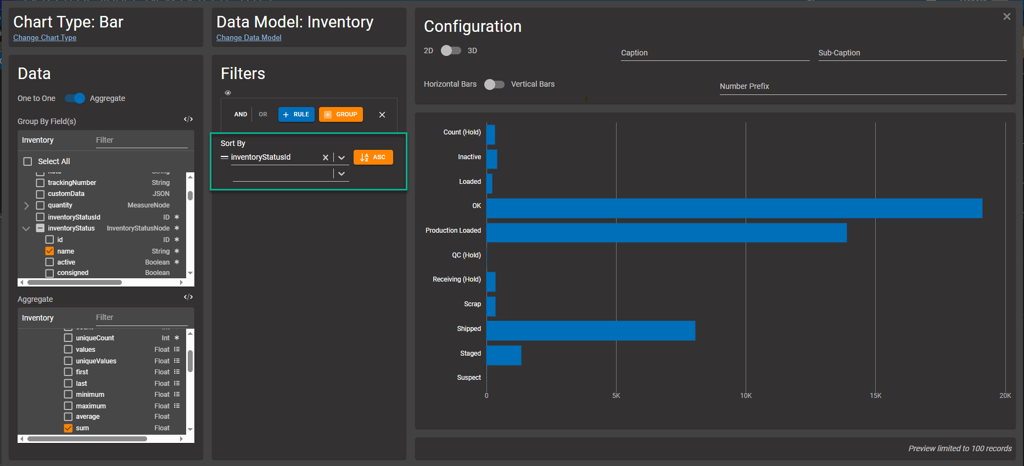
The April 2025 release includes a new feature in the Chart element: the ability to specify a sort order for the chart. This is particularly handy with bar charts, so you can order by a name, status, or other field.
New Chart configuration Sort By section
Data Models and API
Progress Bar Configuration Options
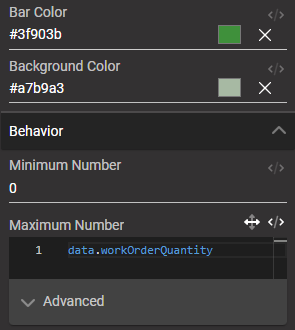
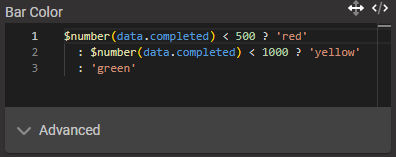
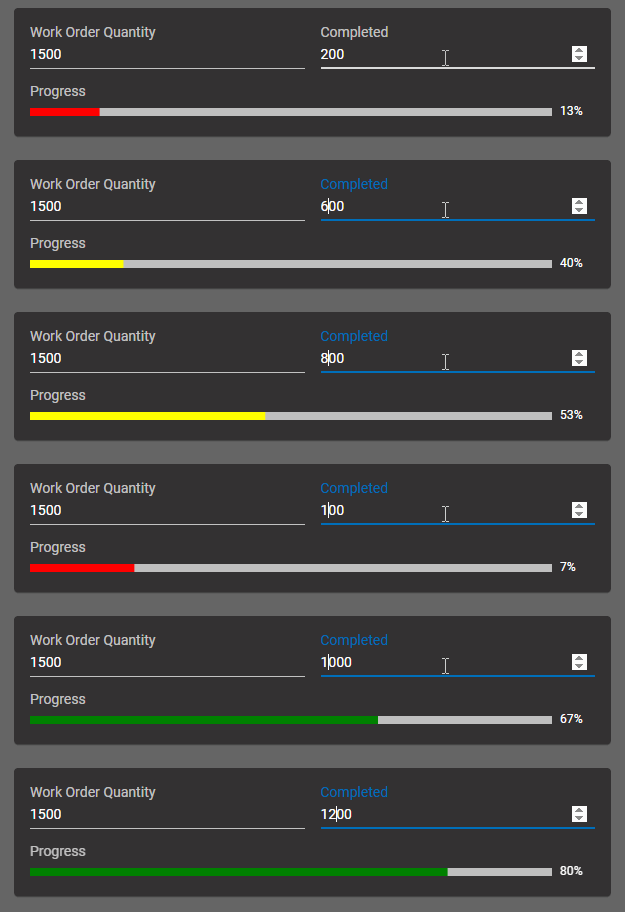
The 2025.4 release also includes new configuration options for the Progress Bar screen element. The existing minimum and maximum fields now support dynamic values, allowing screen builders to wire them up to data coming back from the API - for example, the work order quantity. What's more, the Progress Bar now has two new configuration inputs for the bar and background colors. These inputs are also dynamic, allowing …
New progress bar configuration optionsConfiguration for a dynamic progress bar colorThe resulting progress bar
Integration and Connectors
New Code Editor Screen Element
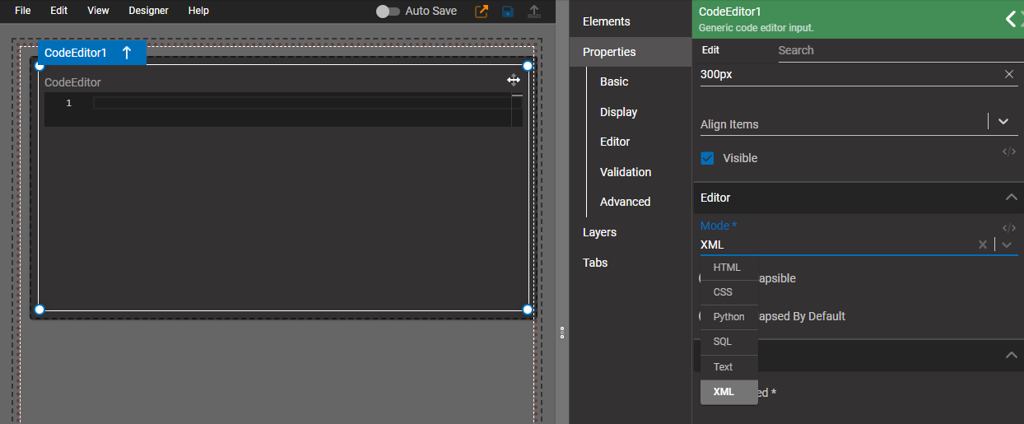
Finally, in addition to the new API Explorer, this month's release includes a new generic Code Editor screen element. This element is designed to be used with languages such as SQL, XML, and Python, which are uncommon in the Fuuz platform itself, but may be used in integrations with external systems such as ODBC or AWS Lambda. This editor also includes a "Text" mode, which disables syntax highlighting and language fe…
New generic Code Editor element with language modes
Edge and Gateway
Fixed
Fixed a crash in the MySQL driver caused by zombie connectionsIntegration › Edge Gateway
Fixed a crash caused by an incomplete service mapIntegration › Edge Gateway
Security and Administration
New
Added Replication and App Management internal user records to better identify changes made by Fuuz automaticallyData › Security
Improved
Updated to cascade-delete user tenant and authentication event records when a tenant is deleted after deactivationData › Security
Data Models and API
New
Implemented a new and improved API Explorer utilizing the Monaco editorData › GraphQL API
Added integration tests for expression fieldsData › GraphQL API
App Building and Packages
New
Added a tooltip to workspace panel items with more details on the app componentUser Interface › Application Designer
Screens and User Experience
New
Added a new generic code editor element for less common languages like SQL and XMLUser Interface › Components
Added an Order By section to the Chart element configurationUser Interface › Screen Designer
Improved
Optimized render performance of Monaco editor to improve user experienceUser Interface › Components
Updated Progress Bar screen element to allow transformable min and max values and to add bar and background color configuration optionsUser Interface › Screen Designer